CodeceptUI
CodeceptUI
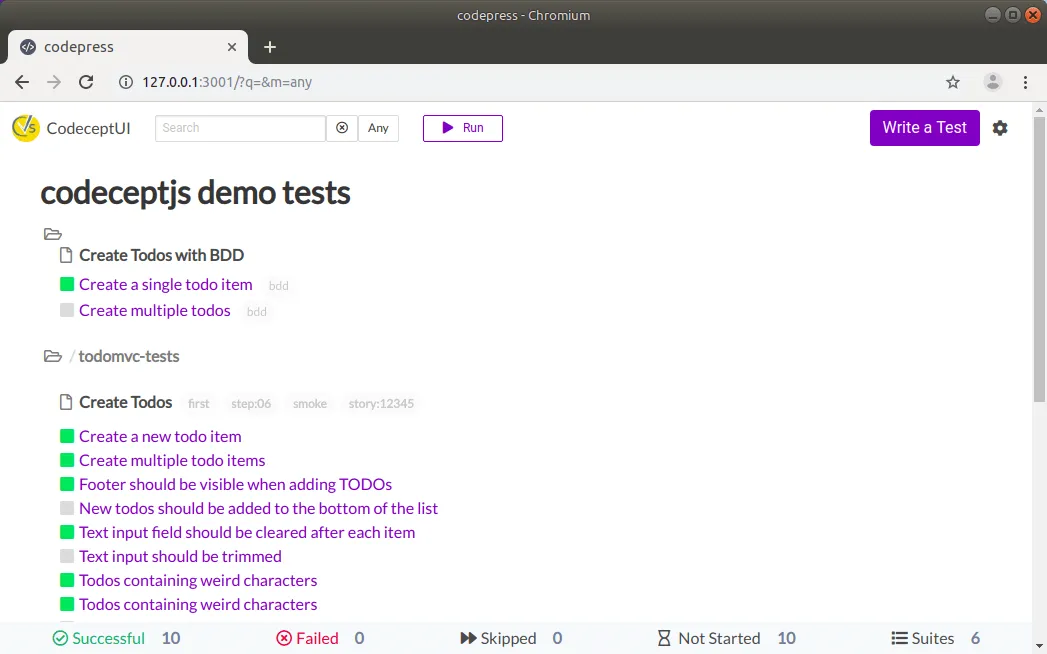
Section titled “CodeceptUI”CodeceptJS has an interactive, graphical test runner. We call it CodeceptUI. It works in your browser and helps you to manage your tests.
CodeceptUI can be used for
- running tests by groups or single
- get test reports
- review tests
- edit tests and page objects
- write new tests
- reuse one browser session accross multiple test runs
- easily switch to headless/headful mode

Installation
Section titled “Installation”CodeceptUI is already installed with create-codeceptjs command but you can install it manually via:
npm i @codeceptjs/ui --saveTo start using CodeceptUI you need to have CodeceptJS project with a few tests written.
If CodeceptUI was installed by create-codecept command it can be started with:
npm run codeceptjs:uiCodeceptUI can be started in two modes:
- Application mode - starts Electron application in a window. Designed for desktop systems.
- Server mode - starts a webserver. Deigned for CI systems.
To start CodeceptUI in application mode:
npx codecept-ui --appTo start CodeceptUI in server mode:
npx codecept-ui